Best Ping Pong Machine: App-Controlled and Premium Picks (2026)
Finding the best ping pong machine for serious solo training means going past a basic ball launcher — and the first thing to know is that “ping pong machine” and “ping pong ball launcher” describe the same category of product, so searching both will return the same hardware under different names. Simple budget launchers are covered in our dedicated guide to those. (See our updated breakdown of the best ping pong robots under $300, or learn how to program table tennis robot drills. Looking for specific price tiers? Browse our verified picks for the best ping pong robots under $100, best robots under $300, and best robots under $400. Need a high-capacity launcher or collection system? Check our reviews of the best ball machines, best table tennis catch nets, or learn how to build a homemade ping pong robot.) This page goes deeper into the app-controlled, programmable-drill tier, plus one mid-range and one premium pick to round out the range.
Table of Contents
What Makes an App-Controlled Machine Different
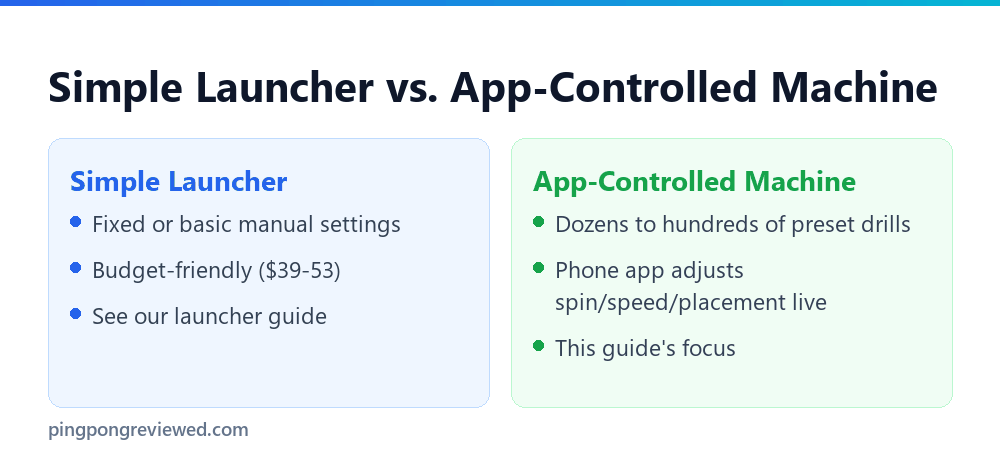
A simple launcher fires balls at whatever speed and spin you set manually before starting. An app-controlled machine goes further: preset drill libraries that automatically vary speed, spin, and placement through a structured sequence, controlled from a phone rather than physical dials. That structure is genuinely useful for players who want their machine to simulate varied, unpredictable shots rather than the same repeated placement every time.
Oscillation and Placement Range
Oscillation refers to a machine’s ability to move its launch point side to side across the table rather than firing to a single fixed spot. A wider oscillation range better simulates an opponent covering the full table, which matters specifically for footwork drills where the whole point is practicing movement between shots, not just contact quality on a stationary ball.
Speed and Frequency Range
Speed determines how fast the ball travels after launch; frequency determines how many balls per minute the machine feeds. A wide range on both matters more as your level increases — a beginner rarely needs the fastest setting a premium machine offers, while an advanced player training reaction speed specifically wants to push frequency well beyond what a casual session requires.
⚡ Quick Picks: Best Ping Pong Machines At-A-Glance
Short on time? Here are our top 4 tested table tennis robots across entry-level stroke practice, recycling net automation, app drill programming, and club training:
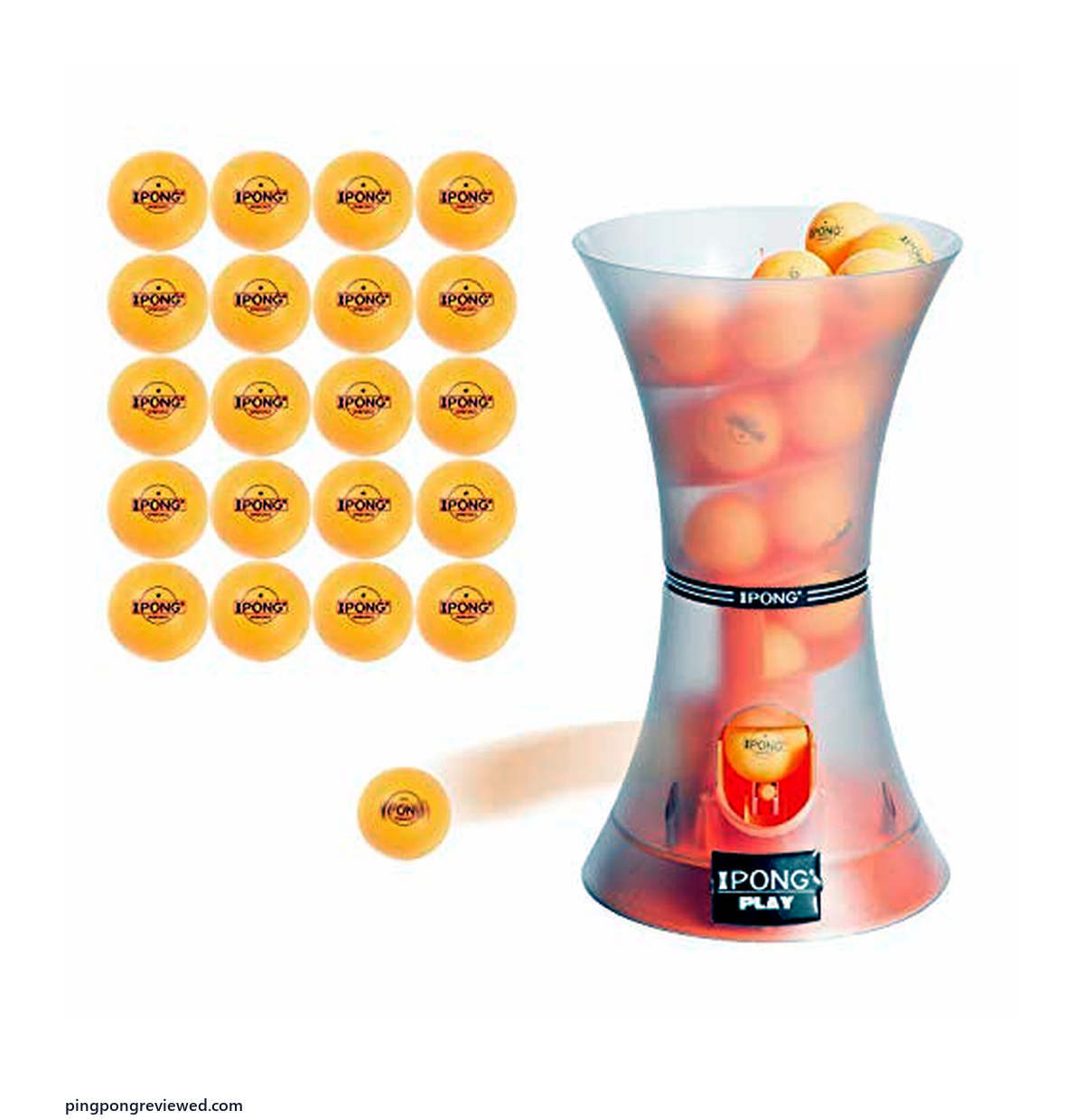
Best Budget Solo Launcher
JOOLA iPong Play
Table-top feeder that shoots consistent 30 balls/min with smooth topspin. The perfect low-risk tool to practice contact timing without spending hundreds.
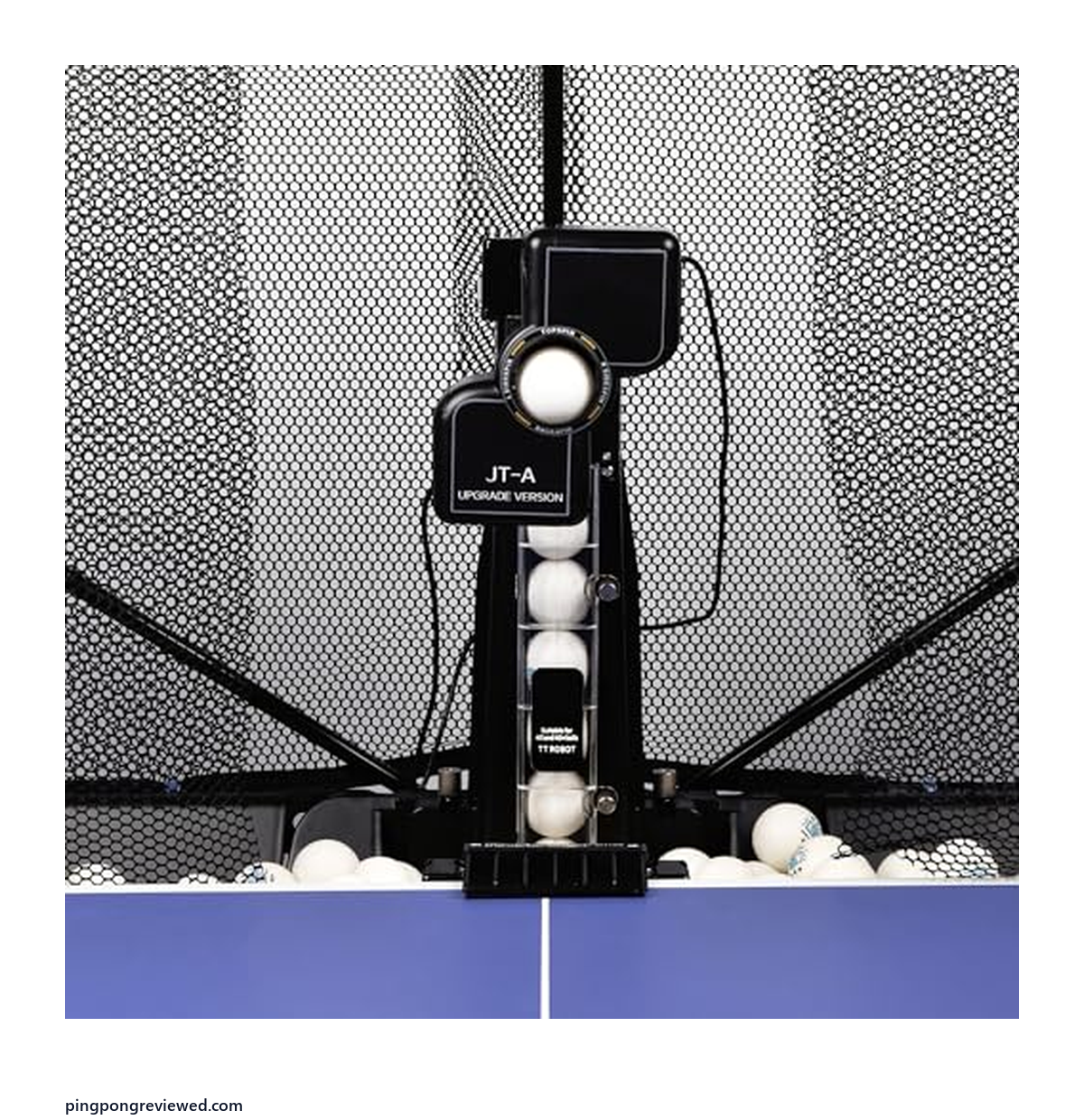
Best Mid-Range with Net
WAYMARK JT-A + Net
Features an auto-recycling catch net that feeds balls directly back into the launcher. Oscillates left-to-right across 9 spin combinations for uninterrupted practice.
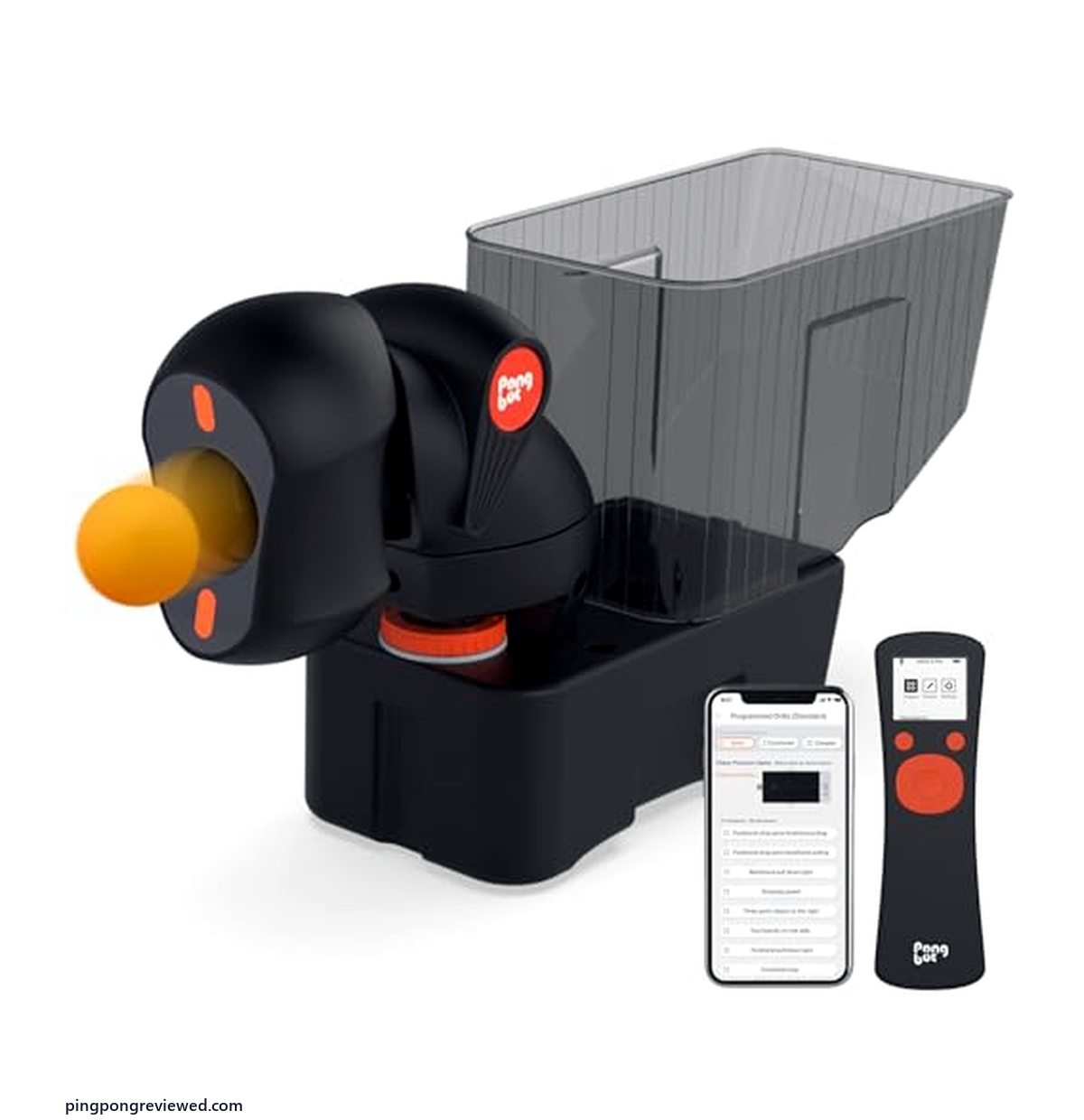
Best App-Controlled Value
PONGBOT (150-Ball)
Control spin, trajectory, and shot sequences directly from your smartphone. Includes a 150-ball capacity hopper with full-table oscillation programming.
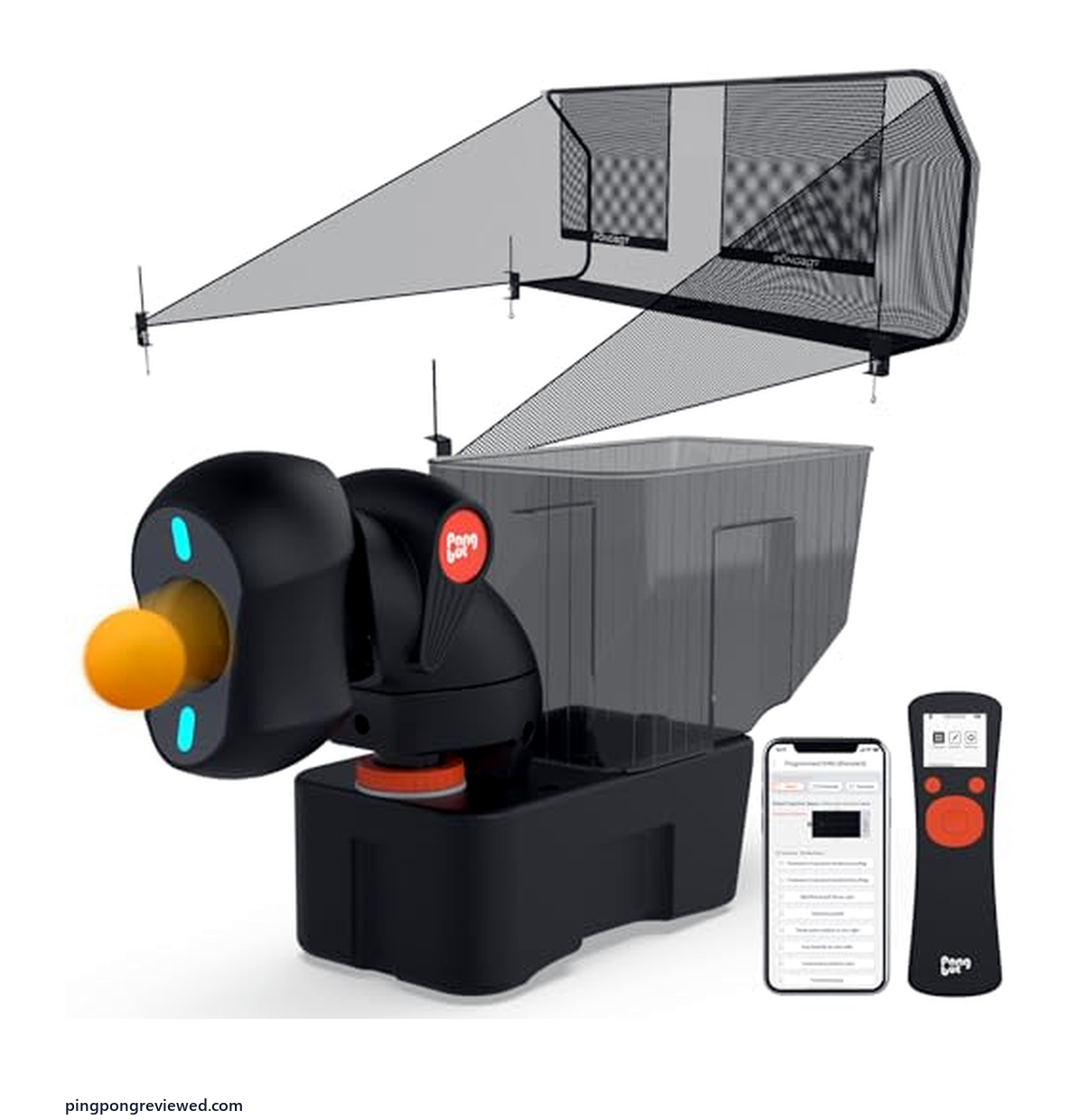
Best App + Recycling Net
PONGBOT with Net
The ultimate solo training rig combining intelligent app customization with endless ball recycling. Run 10-ball custom footwork drills without stopping to reload.
| Machine Model | Tier & Controls | Capacity & Feed | Spins & Oscillation | Price & Buy |
|---|---|---|---|---|
|
JOOLA iPong Play
Compact Table-Top |
Entry-Level Simple On/Off Switch |
25-Ball Hopper Manual Reload Required |
Fixed Point • Light Topspin (~30 balls/min) |
$39.99
|
|
WAYMARK JT-A
Recycling Net Included |
Mid-Range Wired Console / Dials |
Auto-Recycling Net Continuous Play |
2-Point Oscillation • 9 Spins • 30-90 balls/min |
$299.99
|
|
PONGBOT (150-Ball)
Smart App Controls |
App-Controlled Bluetooth iOS/Android |
150-Ball Hopper Single Load Batch |
Multi-Point Sequences • Programmable Speed & Spin |
$329.99
|
|
PONGBOT + Net
App + Continuous Net |
All-in-One Pro Full Smartphone Suite |
Catch Net + Recycler Zero Downtime Loop |
Custom Drill Library • Variable Landing Points |
$439.99
|
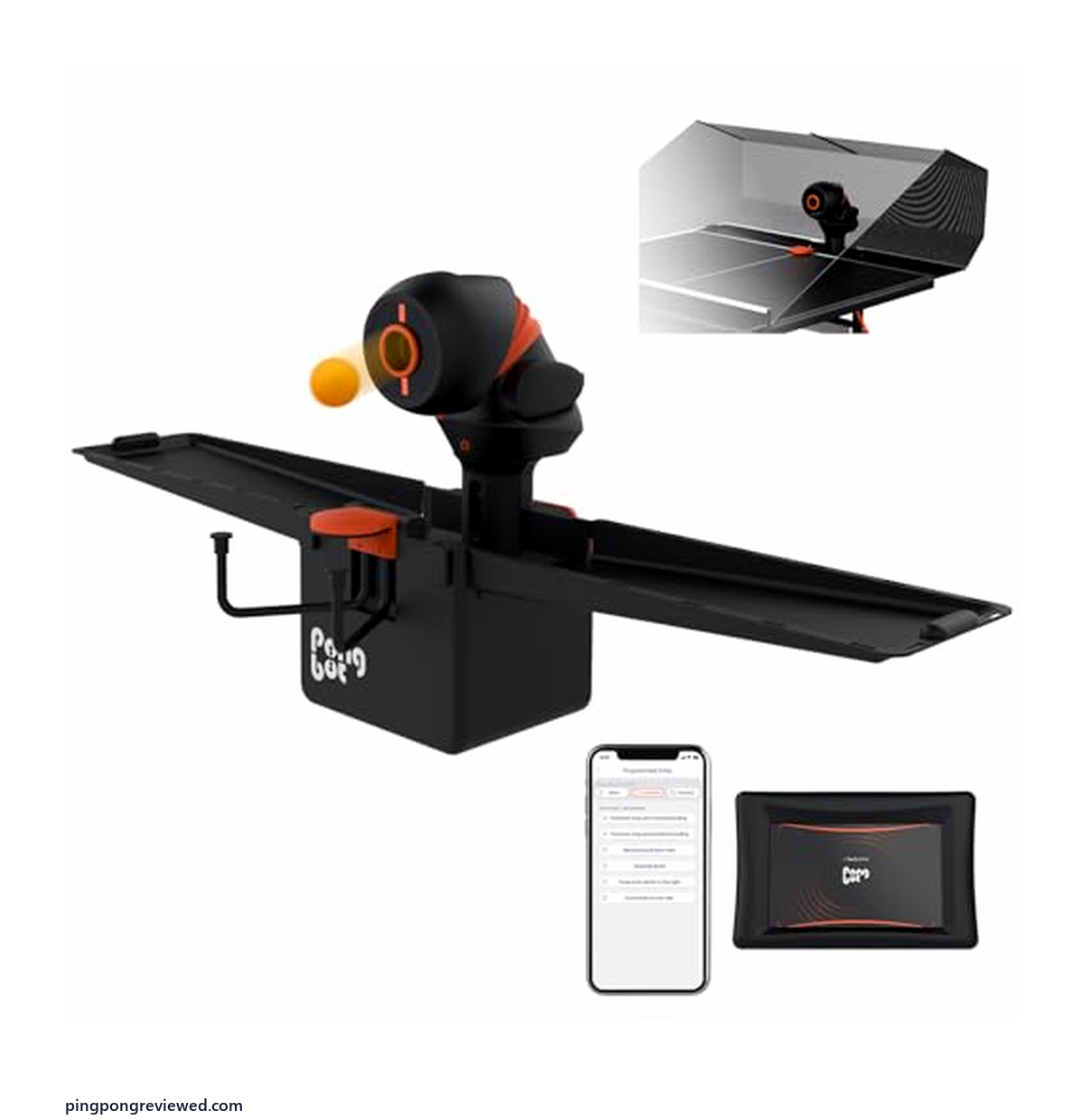
PONGBOT Premium
Dual-Head Flagship |
Tournament Grade Touch Terminal & App |
Heavy Duty Net System Club-Grade Duty Cycle |
Pro Match Trajectory • Multi-Spin Micro-Adjustments |
$1,099.99
|
Entry Point: Simple Launcher
If app control and preset drills aren’t a priority and you just want a machine that reliably feeds balls for basic stroke practice, our dedicated launcher guide covers the JOOLA iPong Play, Suz S101/S102, and the recycling-net Suz S201 in more depth than we’ll repeat here. One quick reference:
JOOLA iPong Play — Cheapest Entry Point
JOOLA iPong Play Table Tennis Trainer Robot, $39.95, is the lowest-priced machine in this guide: 20 included balls, manual settings, no app. The right starting point if you’re not sure a machine fits your training routine yet before spending more.
Who it’s for: someone testing whether solo machine training actually fits their schedule and habits before committing real money to a more capable model.
Mid-Range: Recycling Net Included
WAYMARK JT-A with Net — Best Mid-Range with Ball Return
WAYMARK Ping Pong Machine with Net, Table Tennis Robot JT-A, $439.99, includes an intercepting net that catches and recycles balls automatically, and the net holds up to 200 balls. A genuine step up from a basic launcher for anyone training solo multiple times a week, where manually collecting balls between sets becomes a real time cost.
Who it’s for: a player training solo several times a week who wants uninterrupted longer sessions without app control or programmable drills being a priority.
App-Controlled Tier
This is where the category genuinely earns the word “machine” rather than just “launcher” — real preset drill libraries, live app adjustment, and enough programmability that a session can vary shot to shot rather than repeating one fixed pattern.
PONGBOT (150-Ball) — Best App-Controlled Value
PONGBOT Table Tennis Robot, App Control, 264 Drills, $299.99, ships with 264 pre-saved drills and full spin/speed customization through its app, plus a 150-ball hopper so longer sessions don’t need constant refilling. Portable enough to move between a home table and a club table.
Who it’s for: an intermediate or advanced player who trains solo regularly and wants genuine drill variety without paying for the recycling net the pick below adds.
PONGBOT with Net — Best App-Controlled with Ball Return
PONGBOT Table Tennis Robot with Net, $359.99, comes with 264 pre-saved drills, remote and app control, custom drills and an included net.
Who it’s for: someone who wants both app-controlled drill variety and uninterrupted long sessions without manually collecting balls — the combination the two picks above each cover only half of.
PONGBOT Premium — Best Premium / Full-Featured
PONGBOT Premium Table Tennis Robot, $1,099.99, is the OMNI S Pro model, with 396 pre-saved ball trajectories, remote and app control, and an included ball recycling net. At $1,099.99 it is the most expensive machine in this guide, so it only makes sense if you train often.
Who it’s for: a serious dedicated player or a club investing in one machine meant to last years and cover every training need, not a first purchase to test whether machine training fits your routine.
How Preset Drills Actually Work
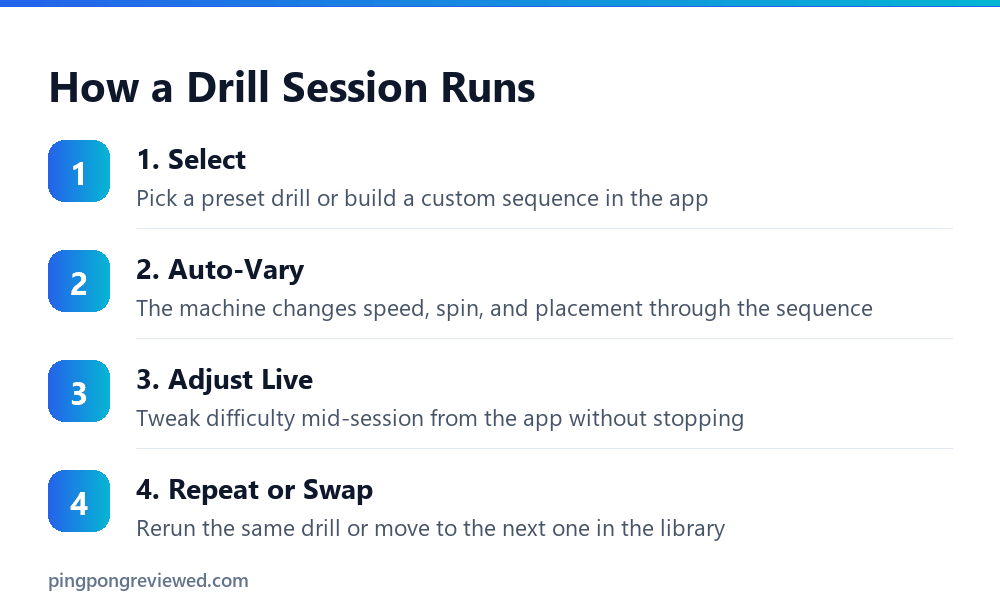
What a ‘Drill Library’ Means in Practice
Machines like the PONGBOT picks in this guide store dozens to hundreds of drill programs, each defining a sequence of shots with specific speed, spin, and placement changes over time — for example, alternating a slow topspin to the forehand corner with a fast backspin to the backhand, repeated at increasing difficulty. Selecting a drill from the app runs that full sequence automatically, rather than you manually adjusting dials between every shot type you want to practice.
Why This Matters More Than the Raw Number of Drills
A machine advertising 264 drills sounds more impressive than one advertising 50, but the practical value depends more on whether the drills actually match what you’re working on than on sheer count. Most players end up using a handful of drills regularly rather than cycling through the full library — the real benefit of a large preset library is flexibility as your training needs change over months, not variety within a single session.
Custom Drill Creation
Every app-controlled pick in this guide also allows building custom drill sequences beyond the presets, which matters if you’re working with a coach who wants a specific, repeatable practice pattern that isn’t in the factory drill library.
What Training Actually Looks Like With Each Tier
Simple Launcher Sessions
Set a speed and spin manually, then repeat the same shot type for reps — genuinely effective for grooving a single stroke, less useful for simulating the shot variety a real opponent produces.
Recycling-Net Sessions
The WAYMARK’s net means you can run much longer sessions without stopping to collect balls, which matters most for footwork drills where you’re moving significant distances between shots and balls scatter further than in a stationary drill.
App-Controlled Drill Sessions
A structured drill session on the PONGBOT tier runs through programmed variation automatically — useful specifically for intermediate and advanced players who’ve already built individual strokes and now need to practice reacting to changing shots rather than repeating one.
Choosing Between These Tiers
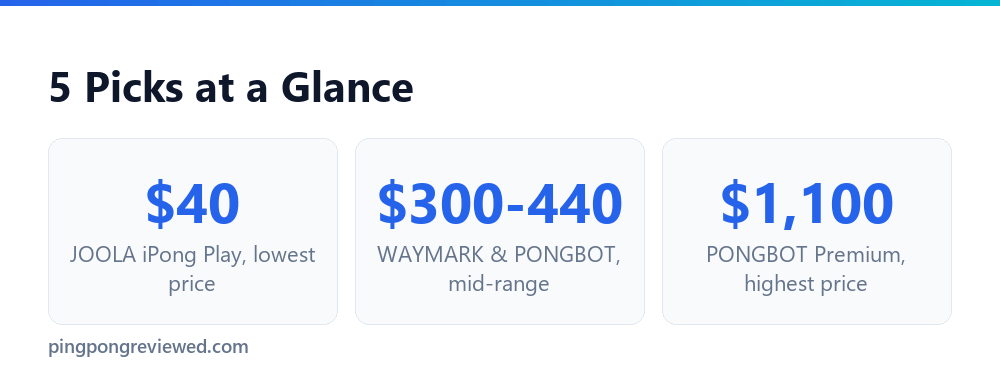
App control and preset drills matter most if you’re training alone regularly and want variety without manually adjusting settings between reps. If your training is more occasional or you’re happy manually setting speed and spin yourself, the cheaper simple-launcher tier covers that need without paying for programmability you won’t use often.
Machine Training vs. a Human Partner
A machine and a training partner solve different problems, and the strongest training routines use both rather than treating one as a full replacement for the other.
What a Machine Does Better
Pure repetition. A machine can feed hundreds of consistent balls in a row without fatigue, which is genuinely hard to replicate with a human partner who gets tired, loses focus, or simply can’t match the same shot placement rep after rep. This makes machines excellent for grooving a single stroke until it becomes automatic.
What a Partner Does Better
Unpredictability, tactical decision-making, and genuine match pressure. No machine, including the app-controlled tier in this guide, replicates the read-and-react demands of playing an opponent who’s actively trying to beat you, adjusting their own tactics based on what you’re doing.
A Reasonable Split
Many serious players use machine sessions specifically for technical stroke work and structured drilling, then reserve partner sessions for match play and tactical development — treating the machine as a technical tool rather than a complete training solution on its own.
Basic Maintenance
- Clean the ball-feeding wheels periodically — dust buildup on launch wheels affects spin consistency over extended use.
- Keep the ball hopper covered when not in use to prevent dust accumulation in the feed mechanism.
- Check net tension on recycling-net models regularly — a loose net lets balls escape instead of returning to the hopper.
- Update the companion app on app-controlled models when prompted — firmware updates sometimes fix drill-timing bugs.
Common Issues and Fixes
- Inconsistent ball placement: usually a calibration issue rather than a defect — check the app’s alignment settings before assuming the hardware is faulty.
- Balls jamming in the hopper: often caused by mixing ball brands or slightly different ball sizes in the same hopper — stick to one consistent ball type.
- App losing connection mid-session: can be a range issue rather than a machine fault: keep your phone within the manufacturer’s stated range during app-controlled drills.
- Reduced spin over time: check the launch wheels for wear or residue buildup, which gradually reduces the friction that generates spin.
- Net not catching all balls: on recycling-net models, check net tension and positioning relative to the table — a net set up even slightly off-angle lets a meaningful percentage of balls escape.
How We Verified These Picks
Every product linked above was checked against its live Amazon listing individually — confirming current stock, current price, and that the listing’s description matches the specific machine being linked.
Frequently Asked Questions
🛒 Frequently Bought Together: Complete Paddle Match & Care Kit
When ordering table tennis equipment, tournament competitors frequently bundle protection and maintenance gear in the same Amazon shipment to maintain equipment tack and avoid separate delivery fees:
Selected Tournament Paddle
Your chosen offensive or all-around competition racket
Deluxe Padded Racket Case with Ball Storage
Shockproof zip case with foam protection to prevent chipped edges
Rubber Cleaning Foam Spray & Rejuvenating Sponge
Restores surface tack, dissolves sweat grease, and doubles rubber life
What does a ping pong robot do?
It fires balls at you automatically, at a set or app-controlled speed, spin, and placement, so you can practice strokes and footwork without needing a training partner.
Are ping pong robots worth it?
For anyone training solo more than occasionally, yes — the repetition a machine provides is difficult to replicate with a human partner, who can’t feed hundreds of consistent balls in a row. For casual, infrequent play, a simpler and cheaper launcher usually covers the same need.
What’s the difference between this guide and your ball launcher guide?
Our launcher guide covers simple, manually-set machines at the budget end. This guide focuses on app-controlled machines with preset drill libraries, plus the mid-range and premium tiers — genuinely different products at a different price point, not the same picks relisted.
What are the disadvantages of wheeled ball-launch robots?
Most machines, including the PONGBOT NOVA S Pro (its listing describes two ball throw wheels), use spinning wheels to propel the ball, which limits how closely the spin and trajectory can replicate a real human opponent’s shot compared to a genuine return-hitting robot. See our robot-ping-pong-real guide for the distinction between training machines like these and research-only return-hitting robots.
Do I need an app-controlled machine as a beginner?
No — a beginner benefits more from basic, repeatable contact practice than from drill variety, which mostly helps once fundamentals are consistent enough to focus on placement and footwork variation.
How many drills does a machine actually need?
Fewer than the marketing numbers suggest matter in daily use — most players regularly rely on a handful of drills matching their specific weaknesses rather than cycling through a full library. A large preset count mainly adds long-term flexibility as your training needs change, not immediate session-to-session variety.
Can a recycling net be added to a simple launcher later?
Not usually — recycling nets are typically sold as part of a specific machine’s design, not as a universal add-on. If ball collection time is a real concern, it’s worth choosing a model with an included net upfront rather than assuming one can be retrofitted.
Do app-controlled machines require a subscription?
The listings for the app-controlled picks do not mention a subscription. Confirm on the current listing before you buy, since app terms can change.
Is a more expensive machine always better for training?
Not for every player — a $1,100 premium machine is wasted on someone who trains occasionally and would get equal benefit from a $300 app-controlled model or even a $39.95 basic launcher. Match the machine to training frequency, not just budget available.
As an Amazon Associate, we earn from qualifying purchases through links on this page.

Ping Pong Reviewed is an equipment review site covering table tennis and baseball gear. Specifications are checked against manufacturer listings, and prices against live retail pages, before publication.